Send submissions to Zapier
Fifteen minutes, once per form. Zapier's Catch Hook trigger gives you a URL that accepts any JSON POST, which is exactly what LocalForm sends. Paste that URL into the form and every registration lands in the Zap, ready to become a spreadsheet row, a mailing-list subscriber, a CRM contact or a Slack message.
Start with Send submissions to another system if you have not: the payload, the field names, the delivery log and the retry behaviour are the same wherever you send them, and this page does not repeat them.
Webhooks by Zapier is a premium app: it needs a paid Zapier plan. Every submission also spends a task, so a busy form is worth a look at your plan's task limit before you point it here.
Build the Zap first - it produces the URL that LocalForm needs.
1. Create the Zap and copy its URL
- In Zapier, create a Zap and choose Webhooks by Zapier as the trigger app.
- For Event, pick Catch Hook. (Catch Raw Hook gives you the unparsed body instead - only useful for the signature check in step 6.)
- Leave Pick off a child key empty. LocalForm's answers sit inside
fields, and picking that key off would throw away the form title, the event details and everything else in the payload. - Copy the custom webhook URL Zapier shows you.
2. Paste the URL into the form
Open the form in WordPress, go to the General panel, and paste it into Webhook URL.
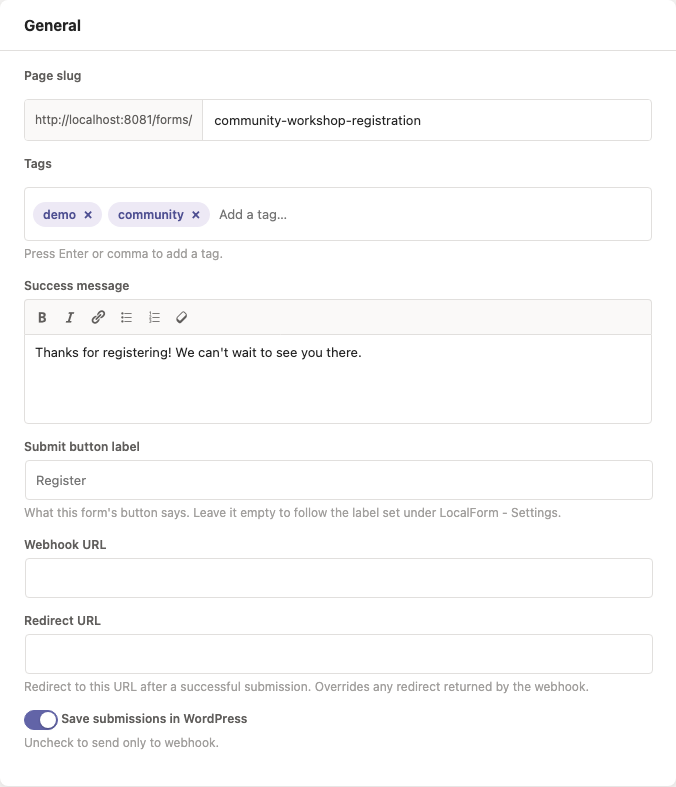
For a site where every form should reach the same Zap, set it once under LocalForm → Settings → Webhooks - it is the fallback for any form without its own URL.
3. Send a real submission before you test the trigger
Zapier's Test trigger does not ask for data - it shows the last request that actually arrived. So the order is: publish the form, fill it in yourself as a visitor would, then press Test trigger.
Fill in every field while you are there, including the optional ones. Zapier builds its field picker from the sample request, and a key that arrived empty or absent is a key you cannot map in the next step. Ticking one option of a checkbox question is not enough either if you want to see how several look.
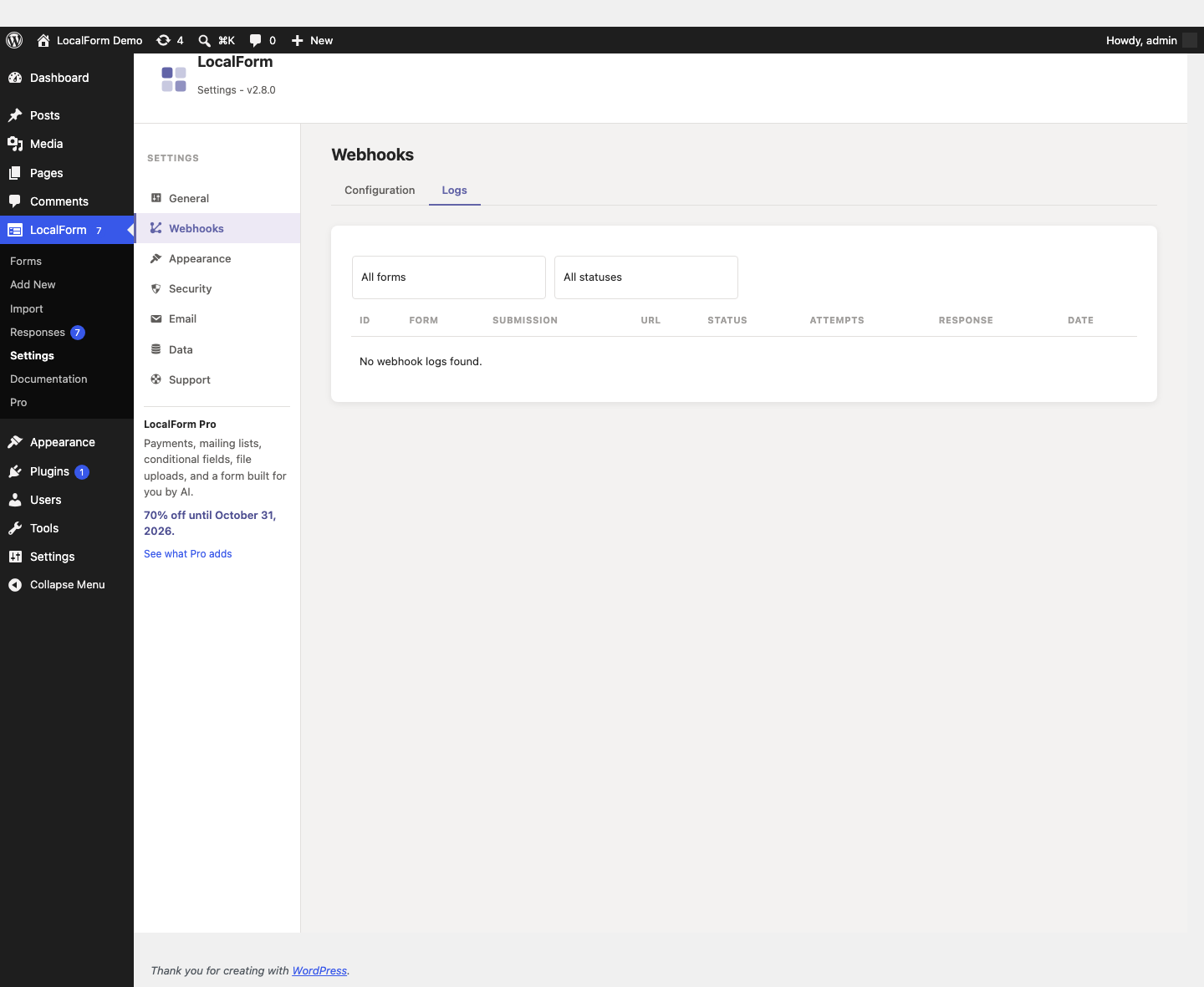
Then check the LocalForm side at LocalForm → Settings → Webhooks → Logs: Zapier answers 200 with a short JSON acknowledgement ({"status": "success", …}), which is what a delivered submission looks like from here.
4. Know what the fields are called in Zapier
Zapier flattens the nested JSON, joining levels with two underscores. So a payload of:
{
	"form_title": "Autumn Workshop 2026",
	"event_date": "2026-09-12",
	"fields": { "name": "Ada Lovelace", "email": "ada@example.com" },
	"custom_fields": { "source": "website" }
}
appears in the picker as form_title, event_date, fields__name, fields__email and custom_fields__source. Arrays get an index in the same style - the Pro event_dates schedule reads as event_dates__0__date, event_dates__1__date and so on.
The part after fields__ is the field name from the builder, not the question label - session_track, not "Which session are you attending?". Settle on those names before you build the mapping: renaming one later renames its key here too, and the mapped step then quietly fills in a blank. On Pro, field name rules hold those names to a contract so every form sends the same concept under the same key.
5. Add the action and publish
Add your action step - Google Sheets → Create Spreadsheet Row, Mailchimp → Add/Update Subscriber, Slack → Send Channel Message - and map the fields from step 4 into it. Test the step, then Publish.
A Zap left as a draft catches nothing. If deliveries succeed in the LocalForm log but nothing appears at the far end, an unpublished (or paused) Zap is the first thing to check, followed by the task quota on your plan.
6. Verify that a request really came from your site
Anyone who learns the URL can post to it. LocalForm signs each request with an X-LocalForm-Signature header - an HMAC-SHA256 of the exact body, using the key from LocalForm → Settings → Webhooks (see webhooks). Catch Hook hands the next step the parsed body, though, not the request headers, so the header is awkward to reach from inside a Zap.
Two workable options, cheapest first:
- A shared secret in the payload. It arrives as
custom_fields__shared_secret, and a Filter by Zapier step that only continues when it matches stops anything that does not carry it. One extra task per submission, no code. - A real signature check. Switch the trigger to Catch Raw Hook and add a Code by Zapier (JavaScript) step that recomputes the HMAC over the raw body and compares it, then
JSON.parses the body for the later steps - the verification code is the Node example, minus the Express wrapper. Raw Hook matters here: the signature covers the exact bytes sent, and a re-encoded copy will not match.
Worth the second one on a Zap that charges money, creates records or emails a stranger.
7. What Catch Hook cannot do
Catch Hook answers immediately, so duplicate runs from a retry are rare here - but not impossible. Where one would cost money, deduplicate on submission_id, which is the same across all three delivery attempts.
The harder limit is redirecting: Catch Hook cannot send the visitor onward. The endpoint-driven redirect described in webhooks needs the response to carry a redirect_url, and Zapier answers with its own acknowledgement instead. Use the Redirect URL field on the form for that.
The full payload reference is in webhooks. The other walkthroughs: Power Automate, n8n.
LocalForm is not affiliated with, or endorsed by, Zapier.