Responses
LocalForm → Responses shows every submission for a form, with two views, a filter bar and an export in XLSX or CSV.
New responses
The LocalForm menu carries a count of the responses that arrived since you last looked, the way WordPress counts pending comments, and LocalForm → Forms marks how many of them came in on each form. Opening a form's responses clears its share of the count.
The count is per person, not per site: two administrators each see what they have not read. It also starts from zero - the first time LocalForm looks for your marker it records where you are, so a site with years of history reports nothing new rather than all of it.
Summary
Per-question aggregates: option counts and percentages for dropdown/single-choice/checkbox fields, min/average/max for numbers, counts per day for dates, and the most recent answers for free-text fields.
A Net Promoter Score question reports the score itself - promoters less detractors - with the three bands and the spread of answers behind it.
A grid question - Likert Scale, Choice Grid, Checkbox Grid, Ranking or Points Allocation - is reported as the grid it is: a row per statement and a column per answer. A Likert adds the mean score for each statement beside the mean across the whole question, and "Not applicable" answers are counted but left out of those means. A Ranking reports the mean place each item was given; a Points Allocation the mean share.
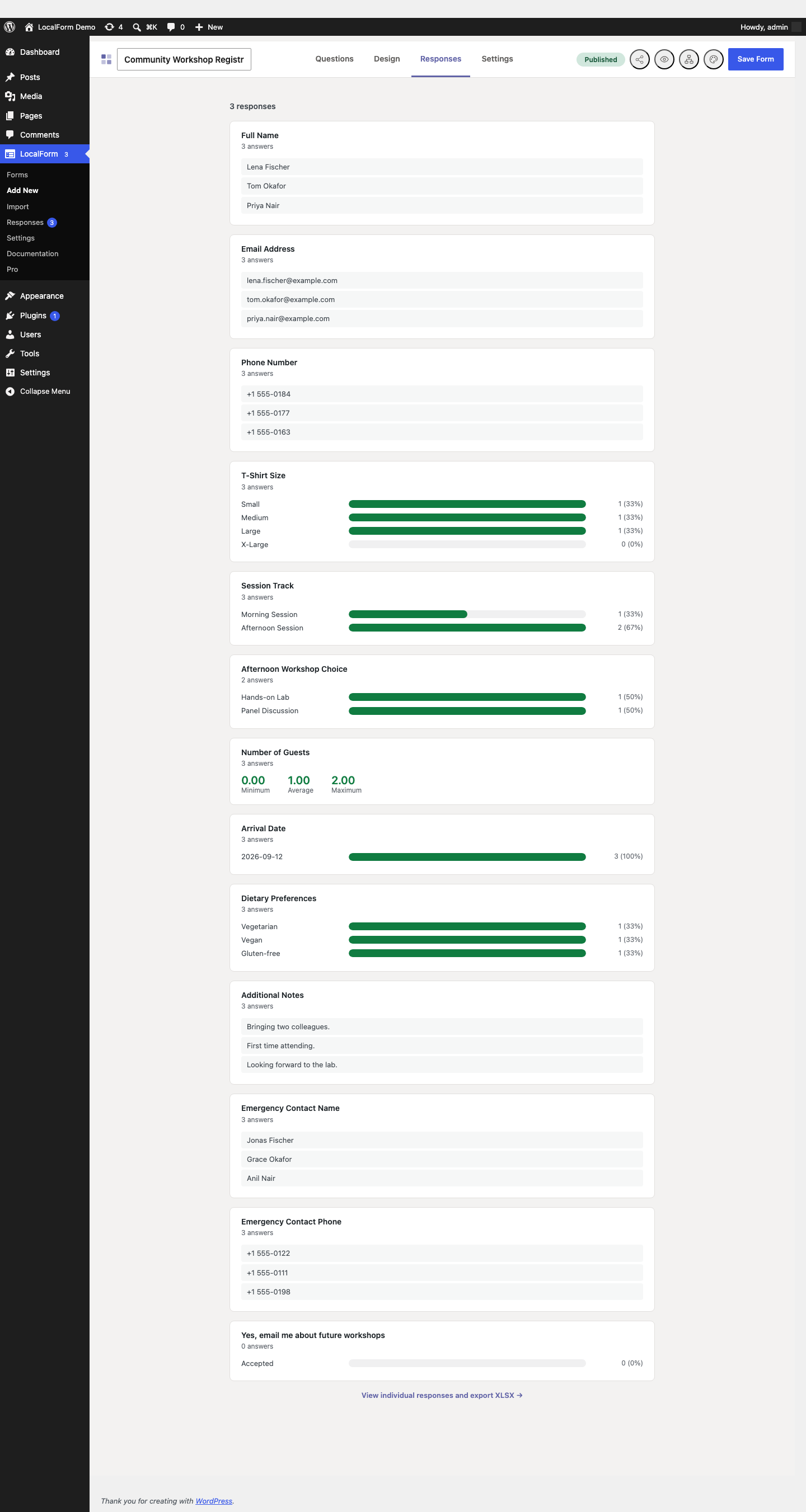
The same summary is also available as a Responses tab inside the form builder itself, without leaving the editor.
The summary is always about this form. For every form counted together - what came in this month against last, which forms are being answered and which have gone quiet - see Insights in the Pro add-on.
Individual
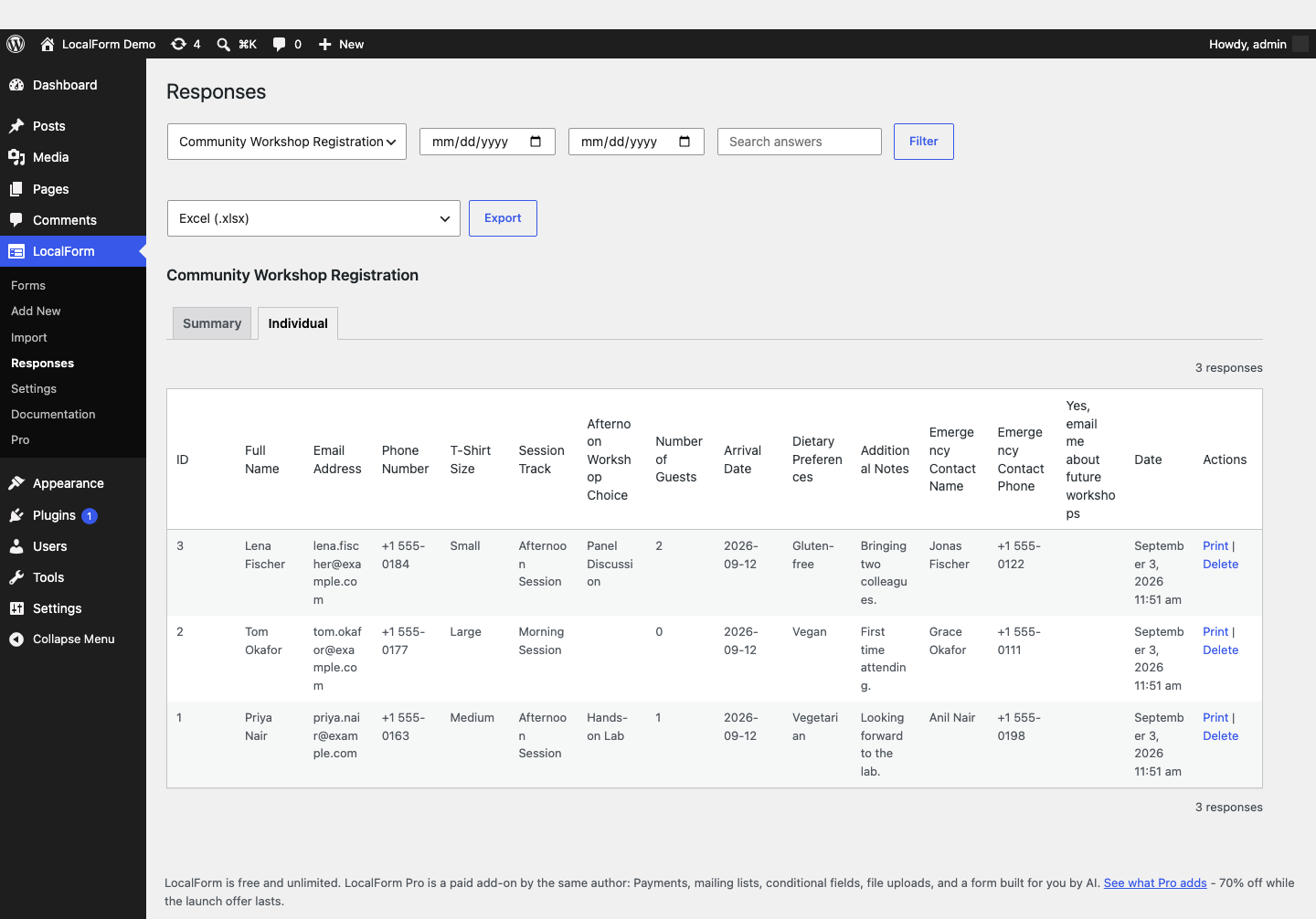
Every submission as a row, one column per question, newest first, 50 to a page.
Filtering
The filter bar above the table narrows the list down:
| Control | Matches |
|---|---|
| From / Until | Submissions on or after / on or before that day, inclusive of the whole day in the site's timezone. Either can be left empty. |
| Search answers | A substring of any answer in the submission - one box covers every question at once, so an email address, a surname or an order reference all find their submission. |
Filter applies them, Clear takes them off again. The count above the table says how many submissions match.
Export
Export downloads the Individual view's columns in the format picked next to it:
| Format | Use it for |
|---|---|
| Excel (.xlsx) | Opening in Excel, Numbers or LibreOffice. Numbers stay numbers, and a leading zero on a phone number or postcode survives. |
| Excel, with a summary sheet | The same responses, plus a Summary sheet in front of them holding the per-question counts, averages and percentages from the Summary tab - as rows, ready to pivot or paste into a report. |
| CSV, comma separated | Importing into another system - a mailing tool, an accounting package, a script. |
| CSV, semicolon separated | Excel set to Dutch, Belgian, German or any other language where the decimal mark is a comma. A comma-separated file opens as one column there; this one opens properly. |
| Attendance list (Pro) | A multi-date event: one sheet per date. See Multiple event dates. |
With Pro you can also have any of these emailed on a schedule instead of downloading them by hand.
Both CSV variants are UTF-8 with a byte order mark, so accented names come through intact.
The Summary sheet is built from the newest 10,000 responses, because counting them means holding them in memory. The Responses sheet beside it has every one of them, and the sheet says so when the limit applies.
The export honours the filter bar: whatever the date range and search box leave on screen is what gets downloaded, and the filename says which range it covers. There is no cap on the number of responses an export can hold - it streams a batch at a time.
Exporting requires Save submissions in WordPress to be enabled: webhook-only forms have nothing stored locally to export.
Printing one response
The Print link beside a response opens it on a page of its own: the form's questions with the answers under them, section titles and text blocks in place, ready for the browser's own Print dialog. Every browser can save that as a PDF, so there is nothing extra to install.
Useful for an intake form that has to go in a paper file, or a registration someone wants a copy of.
From the command line
With WP-CLI:
# List the forms and their response counts.
wp localform forms

# Last month's responses, to a file.
wp localform export 12 --from=2026-07-01 --to=2026-07-31 --file=july.csv

# Straight to standard output, to pipe somewhere else.
wp localform export contact-us

# A spreadsheet with the summary sheet; --file is required for XLSX.
wp localform export 12 --format=xlsx-summary --file=./exports/
A form is named by its numeric ID or its slug. --search=<term> filters the same way the search box does, and --force overwrites an existing file. An XLSX is binary, so it needs --file; pointing that at a directory uses the generated filename.
Over the REST API
GET /wp-json/localform/v1/forms/<id>/submissions
Administrators only (manage_options), authenticated the way any other WordPress REST request is. Takes date_from, date_to, search, page and per_page (up to 200), and reports X-WP-Total and X-WP-TotalPages like core's own collections. Each response comes back as id, form_id, created_at (ISO 8601) and answers keyed by field name.
An invalid date_from or date_to is a 400 rather than being ignored - a filter that silently does nothing would hand back the whole form.
Data requests
LocalForm responses are included in WordPress's own privacy tools, under Tools → Export Personal Data and Tools → Erase Personal Data. Enter an email address and every response left under it - across every form on the site - is exported or deleted along with the rest of the site's data for that person.
A submission counts as someone's when one of its answers is that email address. A response that merely mentions it in a written answer - someone naming a colleague in a comments box - is left alone, so answering one person's request never exports or erases another person's submission.
Erasure deletes the whole submission row, and with it anything stored alongside it - including files uploaded through Pro's File Upload question. It cannot be undone; take a backup first if you need one.