Webhooks
LocalForm can POST every submission as JSON to an external endpoint - for payment flows, CRMs, automation tools, or custom backends.
Configuration
- Per form: set Webhook URL in the form editor's General panel.
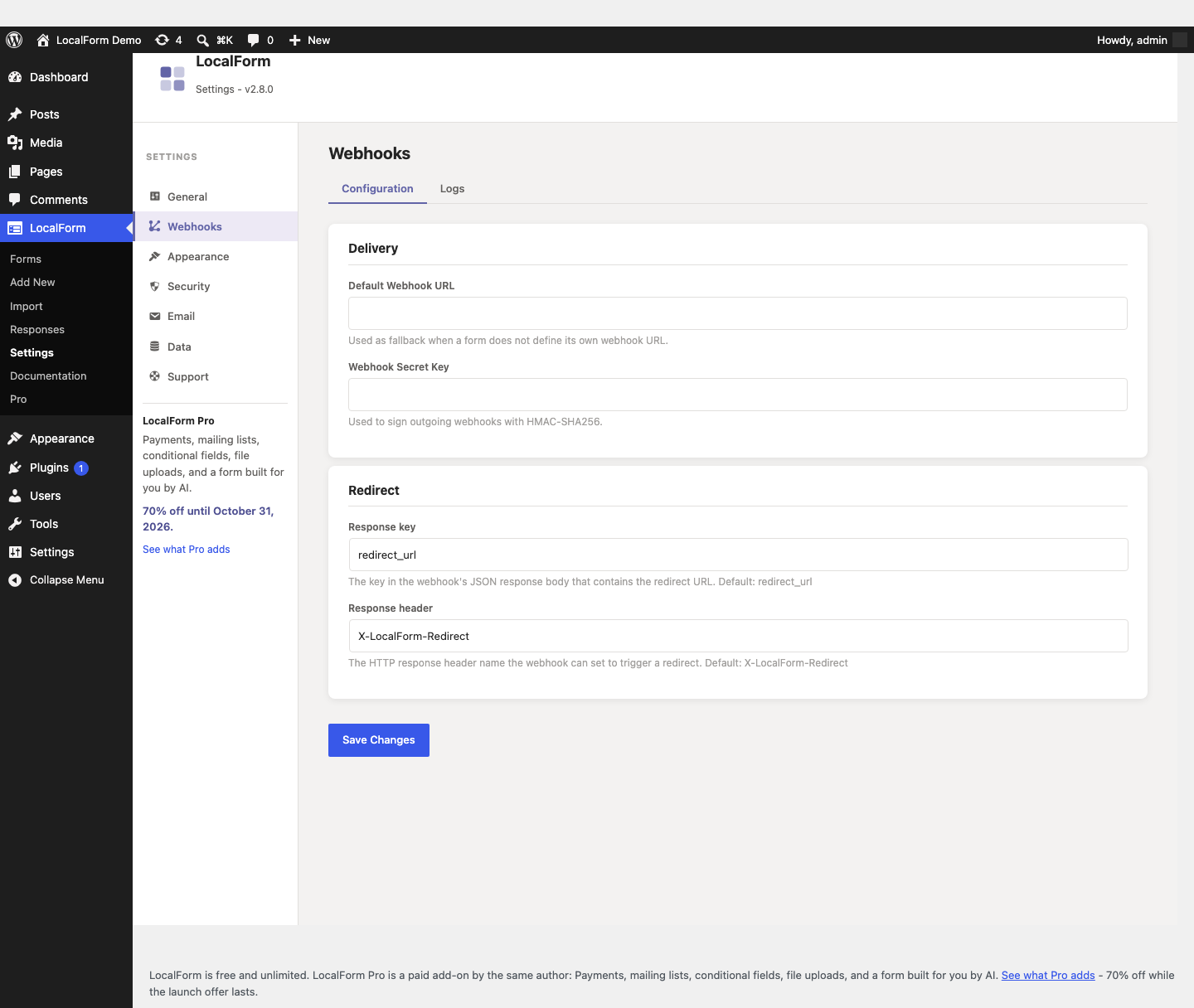
- Default: set a fallback URL under LocalForm → Settings → Webhooks, used by forms without their own URL.
- Webhook-only mode: uncheck Save submissions in WordPress (also in the General panel) to skip local storage and only deliver to the webhook.
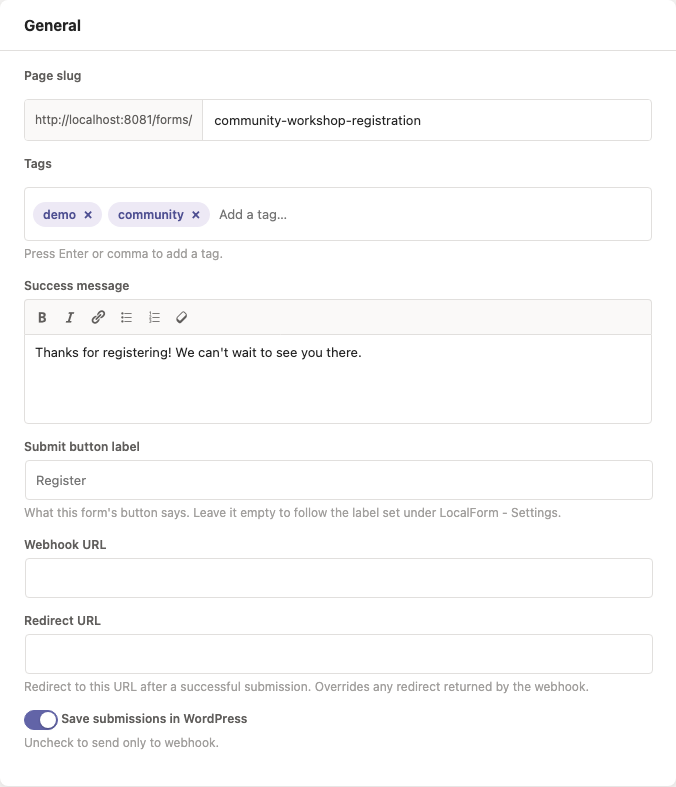
No Webhook URL field in the panel? The form is in light mode, which hides it along with the redirect URL and the custom fields. Switch Light mode off in the same panel to get them back - an address already saved keeps delivering either way.
Step-by-step setups for three common destinations: Power Automate, Zapier and n8n.
Payload
{
	"form_id": 12,
	"form_title": "Summer BBQ registration",
	"submission_id": 345,
	"timestamp": "2026-07-23T10:00:00+00:00",
	"event_date": "2026-09-01",
	"event_time": "18:30",
	"event_location": "The Old Brewery",
	"event_organizer": "Social Committee",
	"payment_price": 25.0,
	"fields": { "name": "…", "email": "…" },
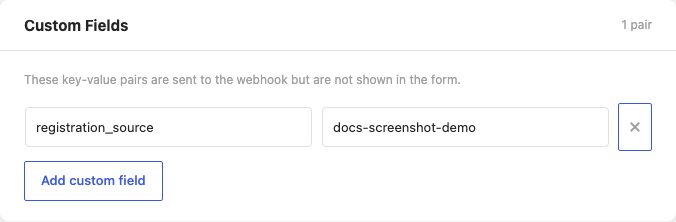
	"custom_fields": { "any": "key-value pairs from the form's Custom Fields panel" }
}
The four event_* keys and payment_price are always present, and carry null on a form that does not set them - a receiver can rely on the shape rather than testing for the key. submission_id is null in webhook-only mode. Custom fields are key-value pairs that ride along in every payload without being shown on the form itself:
A form with multiple event dates (Pro) also carries an event_dates array holding the full schedule in machine-readable form.
Payments
A form that charges for a registration (Pro) adds a payment object describing what was asked for and whether it arrived:
{
	"payment": {
		"provider": "mollie",
		"status": "paid",
		"paid": true,
		"amount": 25.0,
		"currency": "EUR",
		"method": "ideal",
		"id": "tr_WDqYK6vllg",
		"test": false
	}
}
provider names the gateway that took the payment - mollie, stripe or woocommerce - and id is that provider's own reference for it, so the payment can be looked up in their dashboard. Through WooCommerce the payment stays on your own site, so id is the WooCommerce order id and method is the payment method the order recorded. status is one of open, pending, authorized, paid, canceled, expired, failed, or not_required when the resolved amount was zero. paid is the boolean to branch on - it covers paid and authorized both. test says the payment was made with a test key and no money moved; a receiving system that creates invoices should read it. It is always false for WooCommerce, which has no test mode of its own - rehearsing belongs to the shop's own payment plugins.
The submission payload is sent at submit, before the visitor has paid, so it carries "status": "pending" and the amount that is about to be asked for. When the money actually lands, the same webhook is delivered a second time with the payment resolved and one extra key:
{
	"event": "payment_completed",
	"payment": { "status": "paid", "paid": true }
}
event is absent on the submission delivery and payment_completed on the second, which is how the two are told apart. It is a second delivery rather than a correction of the first: the first was true when it was sent, your system has already acted on it, and this says what changed. Switch it off per form under Settings → Event Details → Payments.
The keys inside fields are the questions' field names. Pro can hold those names to a contract - so every form sends the same concept under the same key, or is sent under the right key anyway - with field name rules.
LocalForm Pro adds Global Webhook Fields (LocalForm → Settings → Webhooks → Fields) - key-value pairs merged into every form's payload. A per-form custom field overrides a global one that shares the same key; leaving that override empty falls back to the global value.
Types
Each global field declares how its value is sent, so the receiving system gets a real JSON value instead of a quoted string:
| Type | Sent as | Example |
|---|---|---|
| Text | String | "source": "website" |
| Whole number | Integer | "seats": 4 |
| Decimal number | Float | "vat_rate": 21.5 |
| True / false | Boolean | "is_test": true |
A comma is accepted as the decimal separator, and true/yes/1/on (and their opposites) all read as booleans. A field left empty is sent as null rather than as 0 or false - an unfilled number is not the number zero.
Required fields
Mark a field Required when every payload has to carry it. Leave its global value empty and each form then has to supply its own: the form editor shows the field under Settings → Global Webhook Fields with a red asterisk, and saving the form is blocked with a notice until it is filled in.
The same notice appears for a value that doesn't match its type - a decimal typed into a whole-number field, for example.
If a required field somehow still ends up empty at delivery time (a form saved before the field was marked required, say), the submission is not dropped: the payload goes out with null for that key, and a localform_pro_webhook_required_fields_missing action fires so a site can log or alert on it. Losing a visitor's submission over a misconfigured field would be the worse failure.
Signing
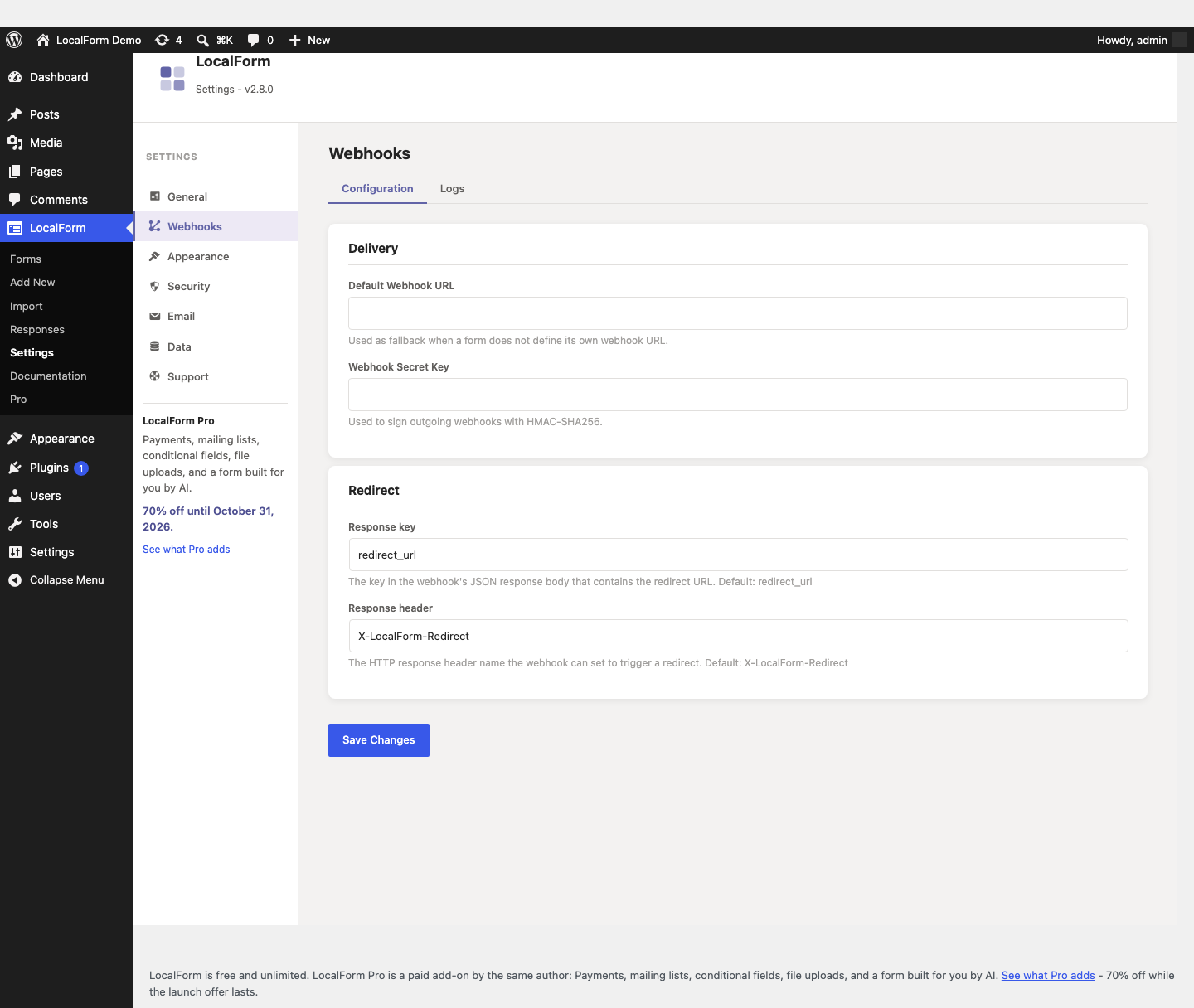
When a secret key is configured (LocalForm → Settings → Webhooks → Webhook Secret Key), every request carries an X-LocalForm-Signature header: an HMAC-SHA256 of the JSON body, hex-encoded, keyed with that secret. The receiver recomputes it and compares before trusting anything.
Verifying it
Sign the bytes that arrived, not a re-encoded copy of them. The signature covers the exact body LocalForm sent, and WordPress's JSON encoder escapes forward slashes and non-ASCII characters (https:\/\/example.com, \u00e9) where most other encoders do not. Parse the JSON after the check, never before it.
$raw       = file_get_contents( 'php://input' );
$signature = $_SERVER['HTTP_X_LOCALFORM_SIGNATURE'] ?? '';
$expected  = hash_hmac( 'sha256', $raw, LOCALFORM_WEBHOOK_SECRET );

if ( ! hash_equals( $expected, $signature ) ) {
	http_response_code( 401 );
	exit;
}

$payload = json_decode( $raw, true );
// Express: mount express.raw({ type: 'application/json' }) on this route,
// so req.body is a Buffer rather than an already-parsed object.
const crypto = require('crypto');

app.post('/localform', express.raw({ type: 'application/json' }), (req, res) => {
	const signature = req.get('X-LocalForm-Signature') || '';
	const expected = crypto.createHmac('sha256', process.env.LOCALFORM_WEBHOOK_SECRET)
		.update(req.body)
		.digest('hex');

	const a = Buffer.from(signature);
	const b = Buffer.from(expected);
	if (a.length !== b.length || !crypto.timingSafeEqual(a, b)) {
		return res.sendStatus(401);
	}

	const payload = JSON.parse(req.body.toString('utf8'));
	res.sendStatus(200);
});
Compare with hash_equals / timingSafeEqual rather than ===: a plain comparison leaks, through its timing, how much of a guessed signature was right.
No secret key set means no header is sent at all - so treat a missing signature as a failure, not as "this one is unsigned".
Automation tools vary in whether they can do this at all: n8n can, Zapier can with effort, and Power Automate cannot.
Delivery and retries
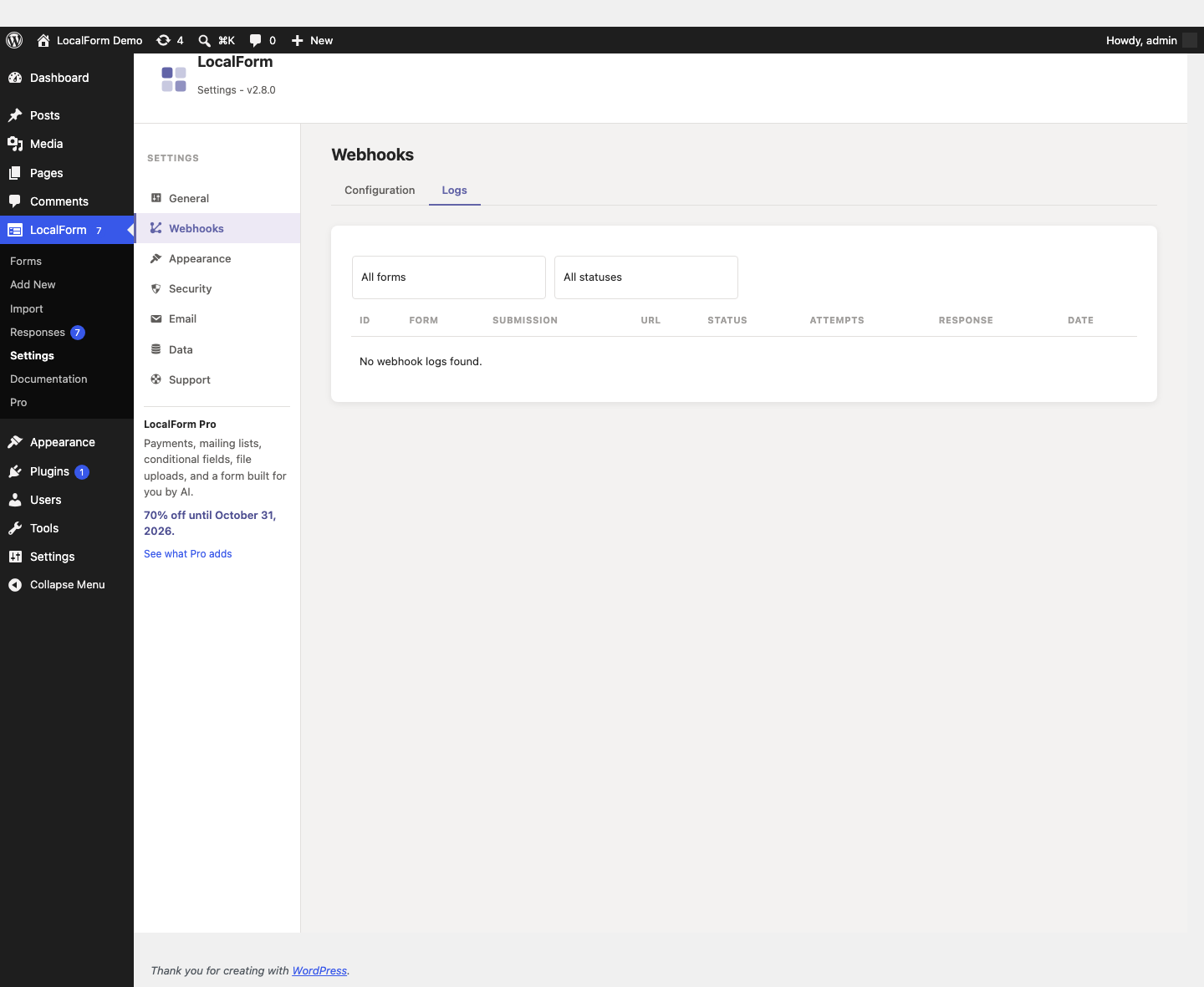
Deliveries are queued (via WP-Cron) and retried up to 3 times with exponential backoff (0s / 1 min / 5 min). Every attempt is recorded under LocalForm → Settings → Webhooks → Logs (payload, response code, response body), with 30-day retention.
Redirecting after submission
Two ways to send visitors elsewhere after a successful submission:
- Redirect URL on the form itself (General panel) always redirects there, regardless of the webhook.
- If the receiving endpoint responds with an
X-LocalForm-Redirectheader (or aredirect_urlkey in its JSON response - both names configurable under Settings → Webhooks → Redirect), the visitor is redirected there instead - useful for payment checkouts. A form-level Redirect URL takes priority over one returned by the webhook.
The frontend polls the delivery status briefly and falls back to the normal success message.